🌟 New Features
Preview Apify Datasets Before Importing
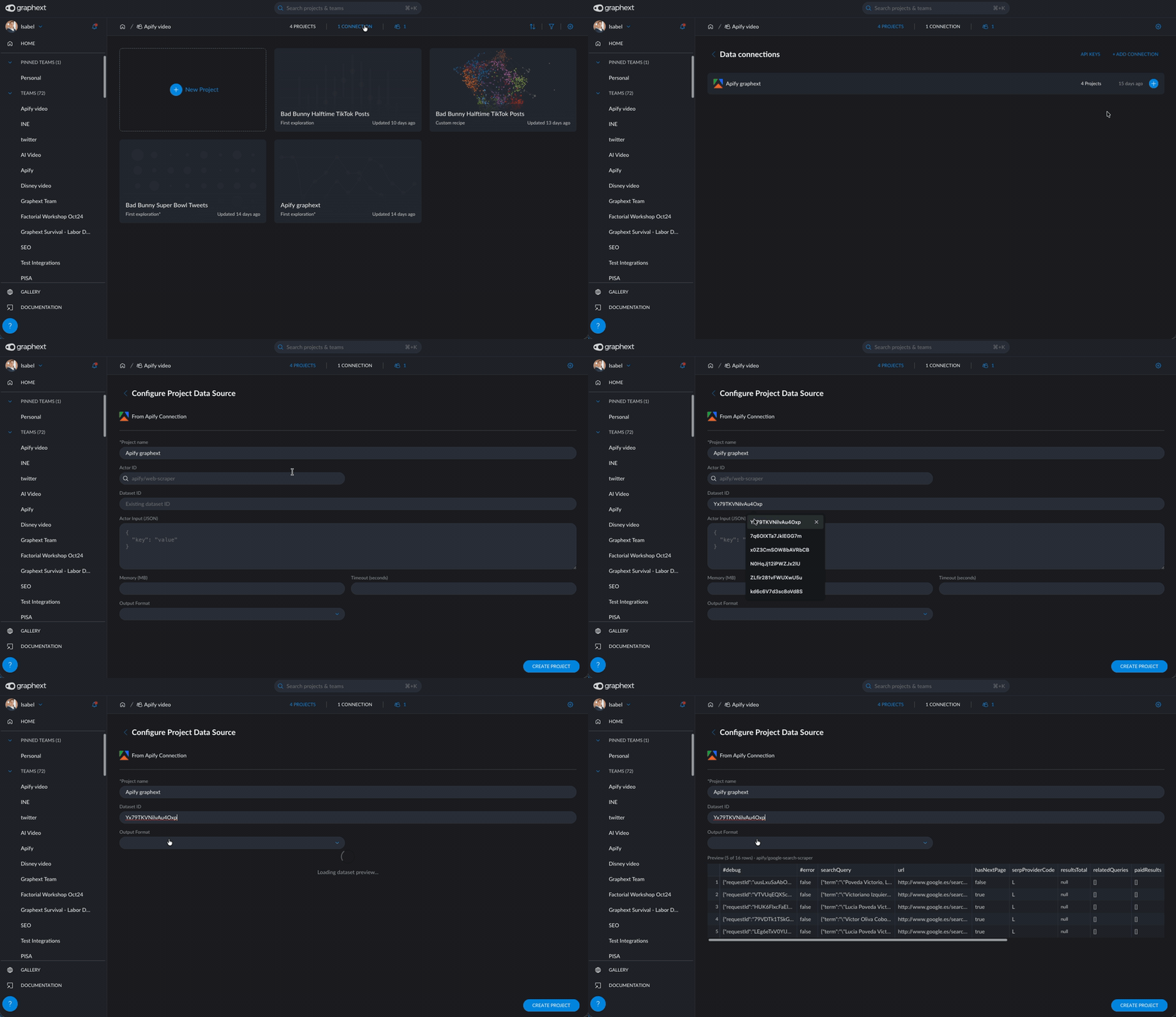
You can now preview the contents of an Apify dataset before importing it into Graphext. When creating a project from an existing Apify dataset or adding one to a project, entering the dataset ID automatically fetches sample rows and detects the column schema — so you can see exactly what data you're getting and adjust column names and types before committing. No more blind imports.
How can I start using it?
- Create a new project from Apify or add a dataset to an existing one
- Choose the "Existing dataset" option and paste the dataset ID
- The preview loads automatically — review the sample data and column types
- Adjust any column names or types if needed, then import
Add Apify Data Directly from a Project
You no longer need to edit the recipe manually to bring in Apify data. From the project top bar, click the dataset selector and use the "+" button to open the Apify dataset modal. From there you can either run an Apify actor to collect new data or fetch an existing dataset — all without leaving your project. This also makes it easy to add more data to an ongoing analysis: just add another dataset from Apify and it appears as a new dataset in your project.

How can I start using it?
- Open any project and click the dataset selector in the top bar
- Click the "+" button (visible when you have an Apify integration configured)
- Choose to run an actor or fetch an existing dataset
- Configure the columns and click Save — the new dataset appears in the selector
Extract Values from JSON Columns
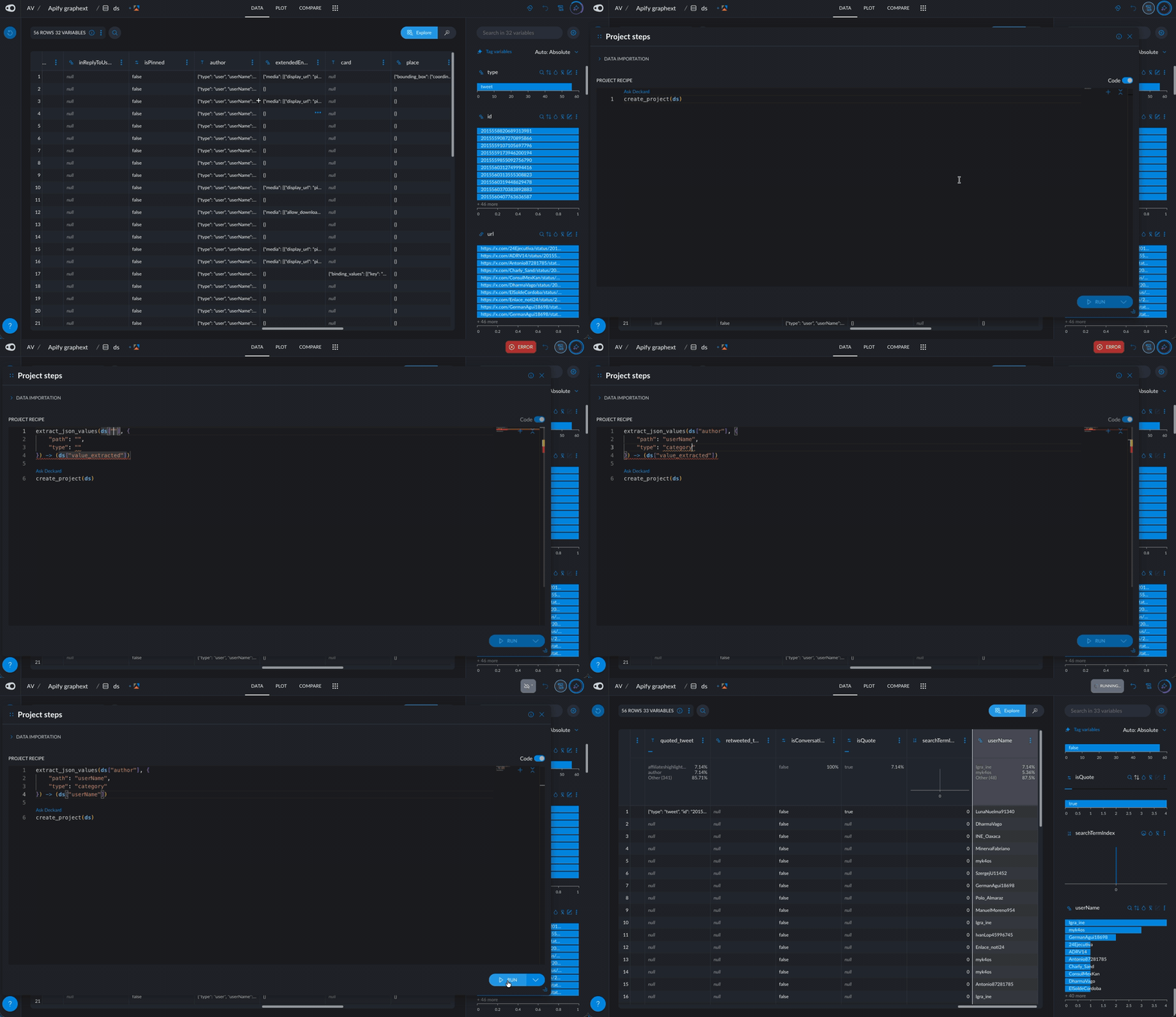
Datasets imported from APIs, web scrapers, or databases often contain columns with nested JSON objects — for example, an author column from a Twitter scrape that contains nested fields like name, followers, verified, and more. You can now use the extract_json_values step to pull out any nested field using a simple path expression (like author.name or address.city), turning buried data into clean, usable columns for analysis.
How can I start using it?
- Open the recipe editor on a project that has a JSON column
- Add the extract_json_values step
- Set the path parameter to the field you want (e.g., author.name, prices[0], metadata.tags)
- Choose the output type (text, number, category, date, etc.)
- Execute — the extracted values appear as a new column
Heatmap: Pair Values by Position
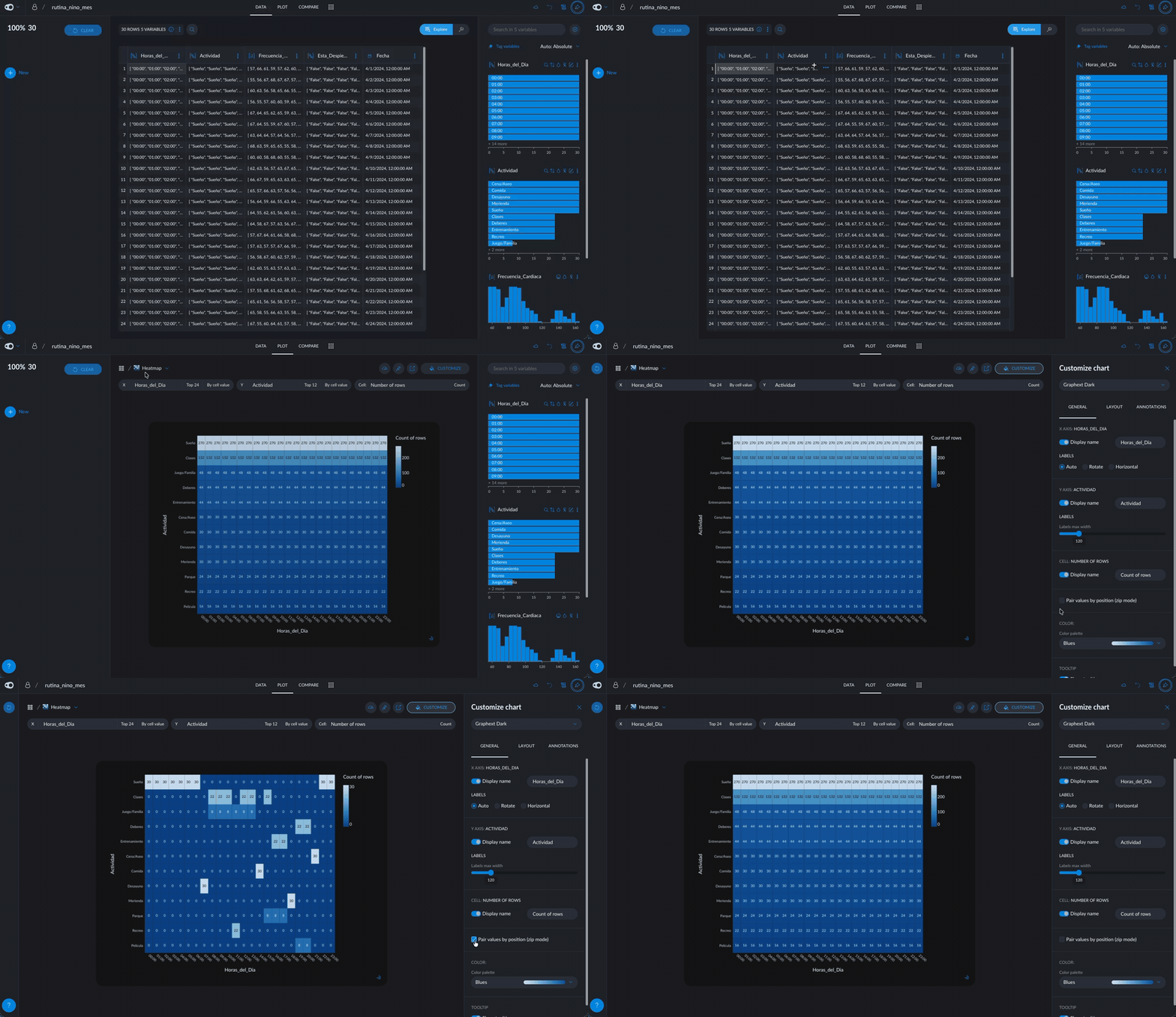
When creating a heatmap with two multivalued columns (columns that contain lists of values), you can now choose how to combine them. The new "Pair values by position" toggle (zip mode) matches values by their index instead of creating every possible combination. This is especially useful for columns that are naturally paired, like survey questions and their corresponding answers.
Improvements
Smarter Apify Data Recovery
When an Apify actor run is aborted or times out before completing, Graphext now recovers whatever data was collected up to that point instead of failing entirely. If an actor was scraping 1,000 pages and timed out at 600, you'll get those 600 results with a warning — no data is lost.
Graphext AI: Recipe Diff View
When the AI modifies your recipe, you can now see exactly what changed. Each "Apply Recipe" action in the AI conversation includes an expandable diff view showing added, removed, and modified steps side by side — so you always know what the AI did before moving forward.
Graphext AI: Proactive Charts
The AI now proactively creates charts alongside its text responses. When it analyzes a column or answers a question about your data, it automatically builds and configures the most relevant visualization — no need to ask for it separately.
AI Data Processing Consent
A new consent management flow lets you review and accept AI data processing terms before using Graphext AI features. Your consent status is visible in Account Settings, where you can change your decision at any time.
Improved Google Sheets Import
Importing data from Google Sheets now correctly handles both CSV and XLSX files, resolving issues where certain spreadsheet formats would fail during download.
Security & Platform Updates
We've updated core platform dependencies to their latest versions for improved security, performance, and stability:
- Updated UI framework and component library for better accessibility and rendering performance
- Upgraded error monitoring and observability tools with AI-specific instrumentation
- Updated state management library to the latest major version
- Refreshed build tooling, linting, and testing frameworks
- Applied security patches across all backend services and dependencies
- Updated data engine and processing infrastructure